.png)
Tracking Workflows
The All Work dashboard gives you one place to view, filter, and open every quote, job, invoice, and opportunity your team is working on.
Open All Work
From the sidebar, go to More Features → Work → All Work. You can also open pinned Work items from the sidebar if you have added them.
By default, All Work opens in table view — a sortable list of every work item.
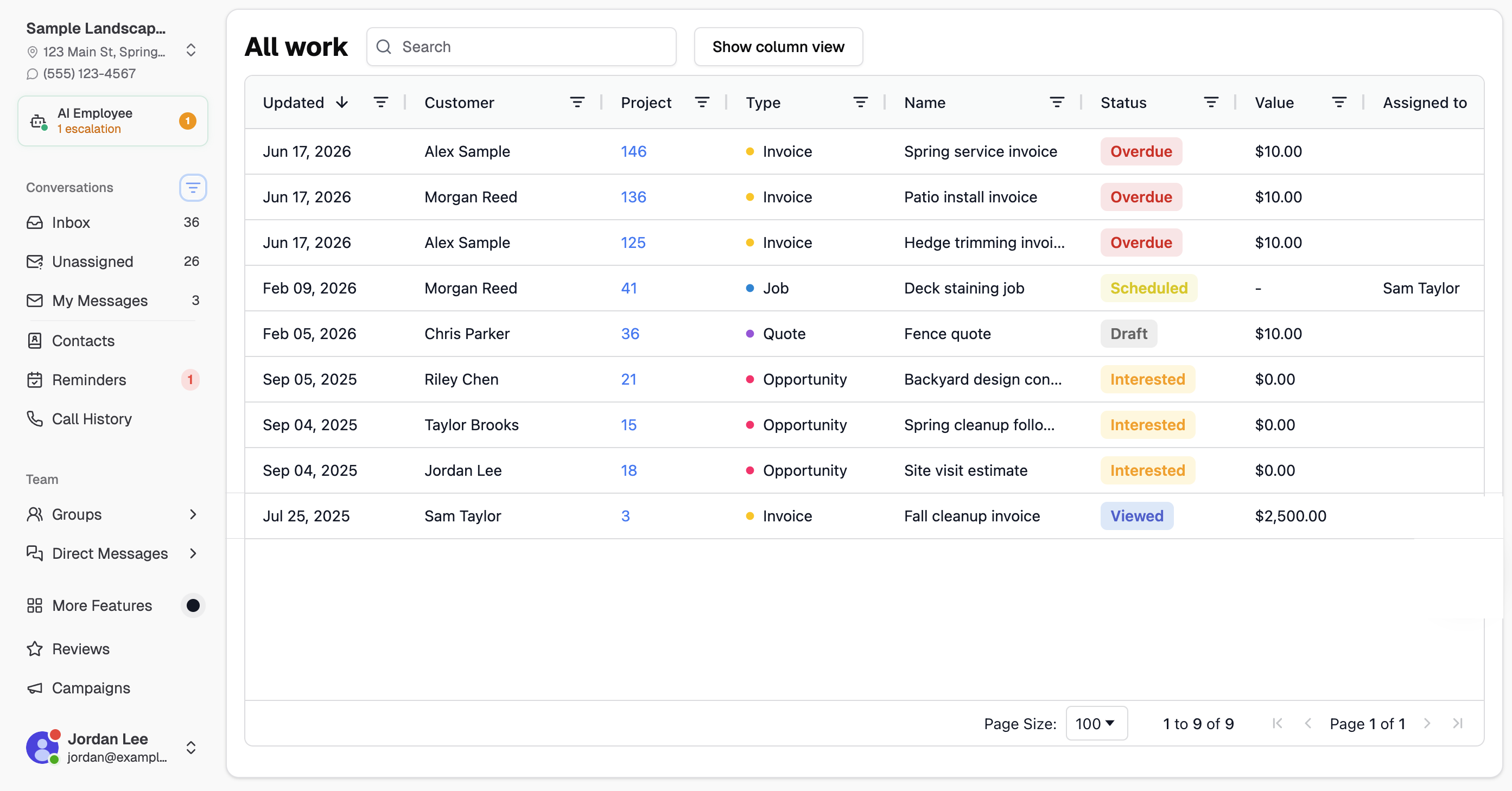
Table view
The table shows key details for each item:
- Updated — when the item was last changed
- Customer — the linked contact
- Project — the project number (click to open details)
- Type — Quote, Job, Invoice, or Opportunity
- Name — the title of the quote, job, or invoice
- Status — current workflow status
- Value — dollar amount
- Assigned to — team member responsible, when set
Use the Search box above the table to quickly narrow the list. Click any column header to sort. You can also drag column headers to reorder columns — Chekkit remembers your layout.
Column view
Click Show column view to organize items by type: Quotes, Jobs, and Invoices. Each card shows the item name, customer, status, and value.
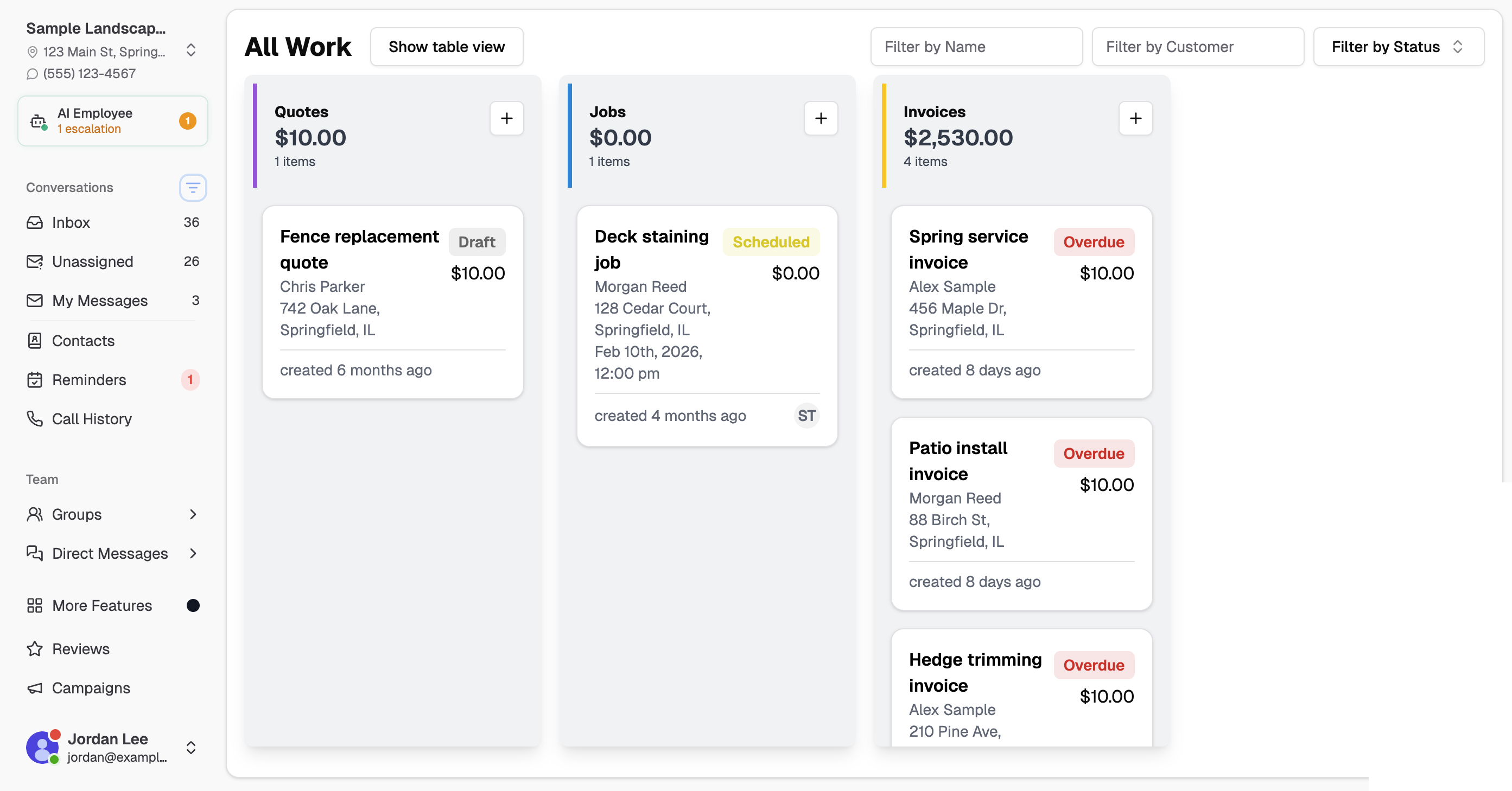
Click the + button at the top of a column to create a new quote, job, or invoice.
Filtering your data
In column view, use the filter fields at the top of the page:
- Filter by Name — search by the quote, job, or invoice title
- Filter by Customer — show items for a specific customer
- Filter by Status — select one or more statuses (Draft, Scheduled, Overdue, Paid, and more)
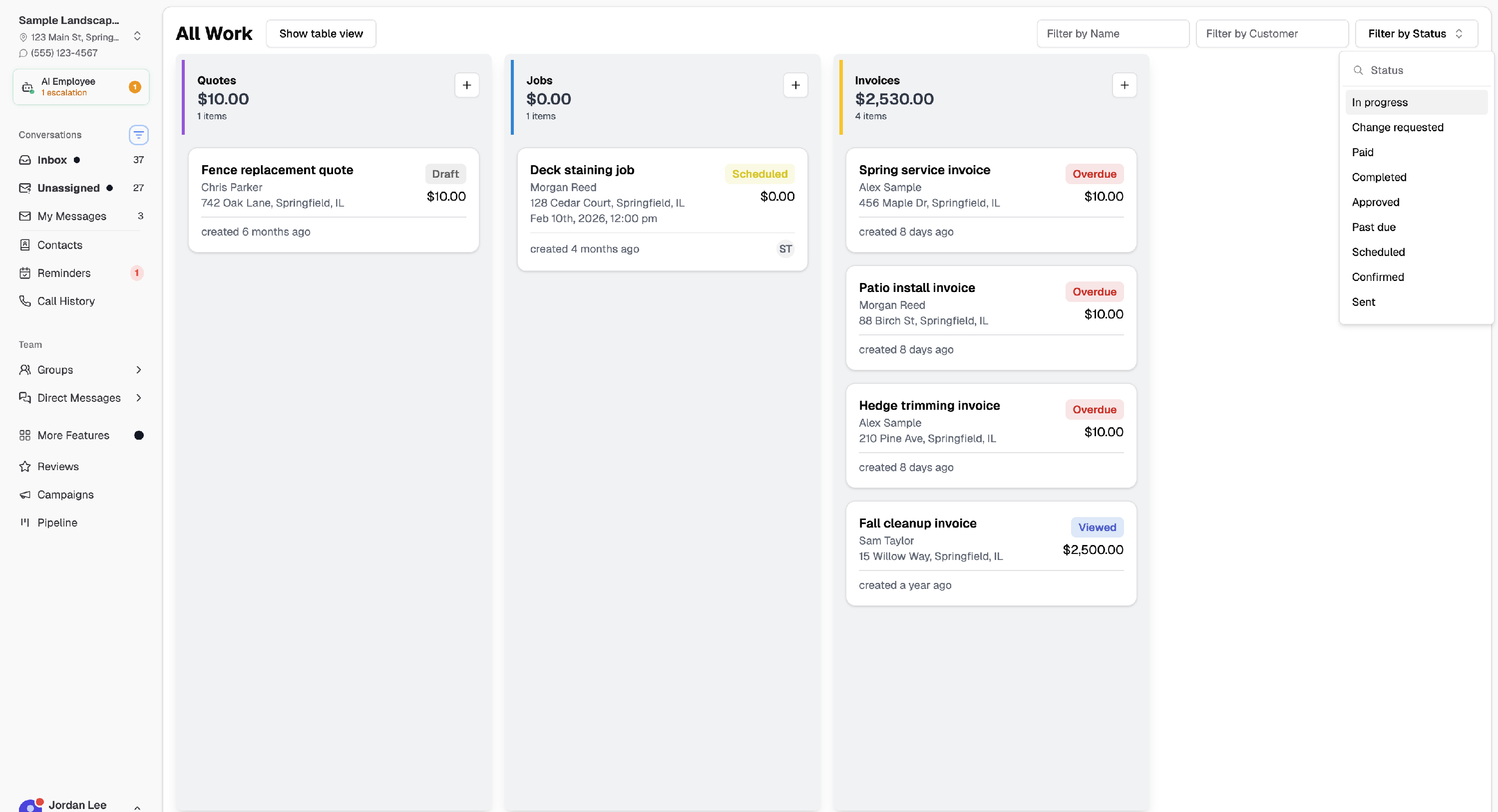
In table view, use the Search box to filter across the table. Individual columns also support sorting and filtering from the column headers.
Opening a work item
Click any row in table view (or a card title in column view) to open a detail panel without leaving All Work. From the panel you can:
- View the customer’s contact and billing information
- Jump to the full project page or customer profile
- Text the customer
- Review customer notes, project activity, and linked workflows
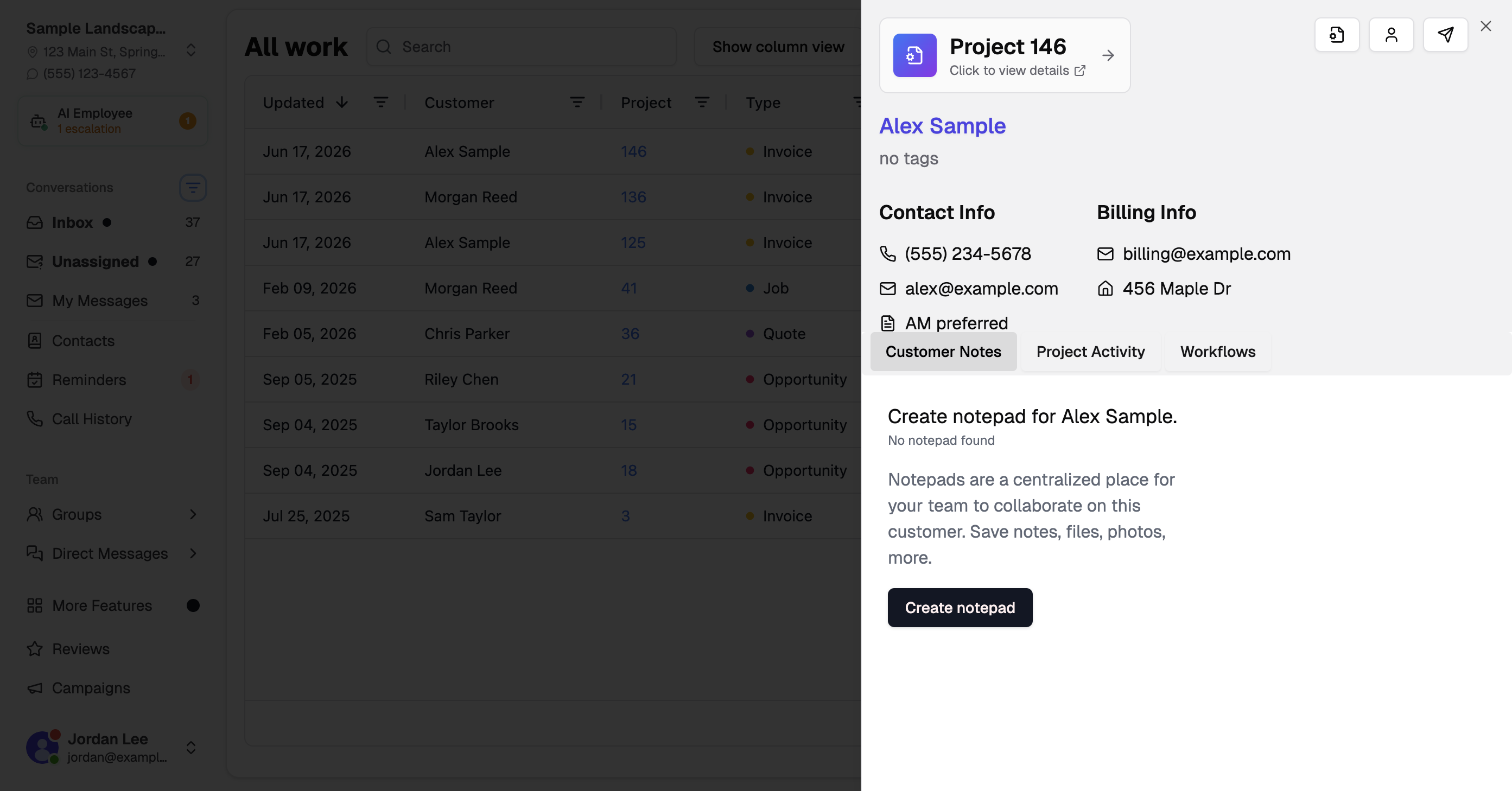
Click Click to view details on the project card, or use the action buttons on the right, to open the full project in the Work area.
Related articles
- Creating Items in the CRM
- How To Create A Quote
- How To Create A Job
- How To Create An Invoice
- Exporting your invoices
* * *
Hopefully this helps you get everything running. If you have any difficulties or other questions, contact us at support@chekkit.io!