.png)
Bulk Tagging Contacts for Future Campaigns
Bulk tagging is a helpful way to organize groups of customers so you can message them again later without rebuilding the same list each time.
For example, you can upload a CSV of customers, apply a tag such as “Spring Promo,” “Past Customers,” or “Warranty Follow Up,” and then use that tagged group when creating a bulk SMS campaign.
How bulk tagging works
-
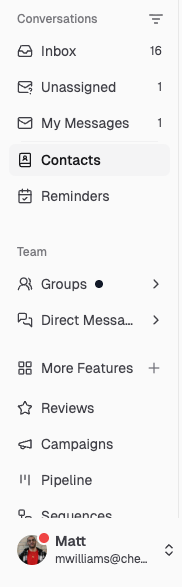
Go to Contacts in your Chekkit dashboard
-
Click Upload CSV in the top-right corner.

-
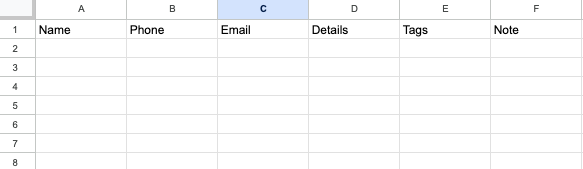
Upload a CSV that includes customer details such as Name, Phone, Tag, and/or Email.
- During the upload process, apply a tag to that group of contacts so they are easy to find later.
- When you are ready to message that group, go to Campaigns > Create Campaign and use those tagged contacts for your bulk SMS campaign.


This is especially useful for promotions, reminders, review requests, seasonal updates, follow-ups, and customer reactivation campaigns.
Why use tags for campaigns?
Tags help you keep your contacts organized and make it easier to send the right message to the right customers. Instead of manually selecting each customer every time, you can group contacts once and reuse that group for future campaigns.
Related guides
Managing Contacts:
https://help.chekkit.io/article/138-managing-contacts
How to Add a Tag to a Conversation:
https://help.chekkit.io/article/62-how-do-i-add-a-tag-to-a-conversation
How to Save Groups and Copy Customers:
https://help.chekkit.io/article/143-how-to-save-groups-copy-customers
How to Send Bulk Messages:
https://help.chekkit.io/article/49-how-do-i-send-bulk-messages