.png)
How will my messages look from Facebook marketplace?
Facebook Marketplace is a great way to sell products. When a buyer messages you about a listing, you want that conversation in Chekkit so your team can reply fast.
Once your Facebook Page is connected to Chekkit, Marketplace messages land in your Inbox with your other Facebook Messenger conversations. Need to connect first? See Facebook & Instagram (Meta) Integration.
When someone views your listing on Marketplace, they can tap Message (or Message Dealership). That message is sent through Messenger and shows up in your Chekkit Inbox.
A Marketplace message in Chekkit typically includes:
- A link to the Marketplace listing
- A VIN (for vehicle listings)
- The buyer’s message
- The item name or title
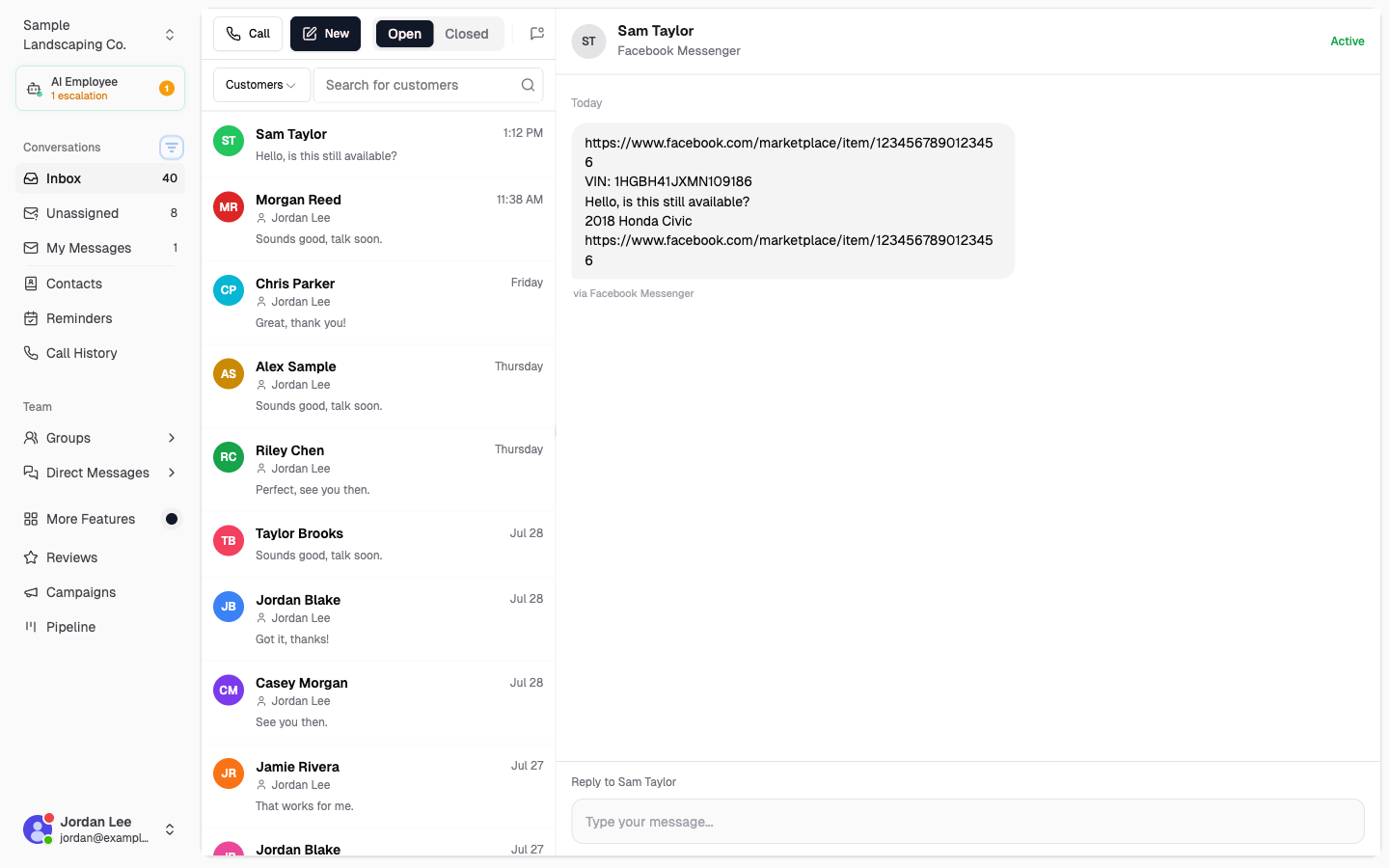
From there, reply in Chekkit as you would any other Messenger conversation so your team stays aligned and nothing gets missed.
Important note for vehicle sellers
Meta no longer lets most sellers create vehicle Marketplace listings from a Facebook business Page, so many dealers list from a personal profile instead. Chekkit only receives messages through your connected Facebook Page — personal Messenger DMs will not appear in Chekkit.
Questions? Email support@chekkit.io.