.png)
Automatically reply to Facebook Lead Ads
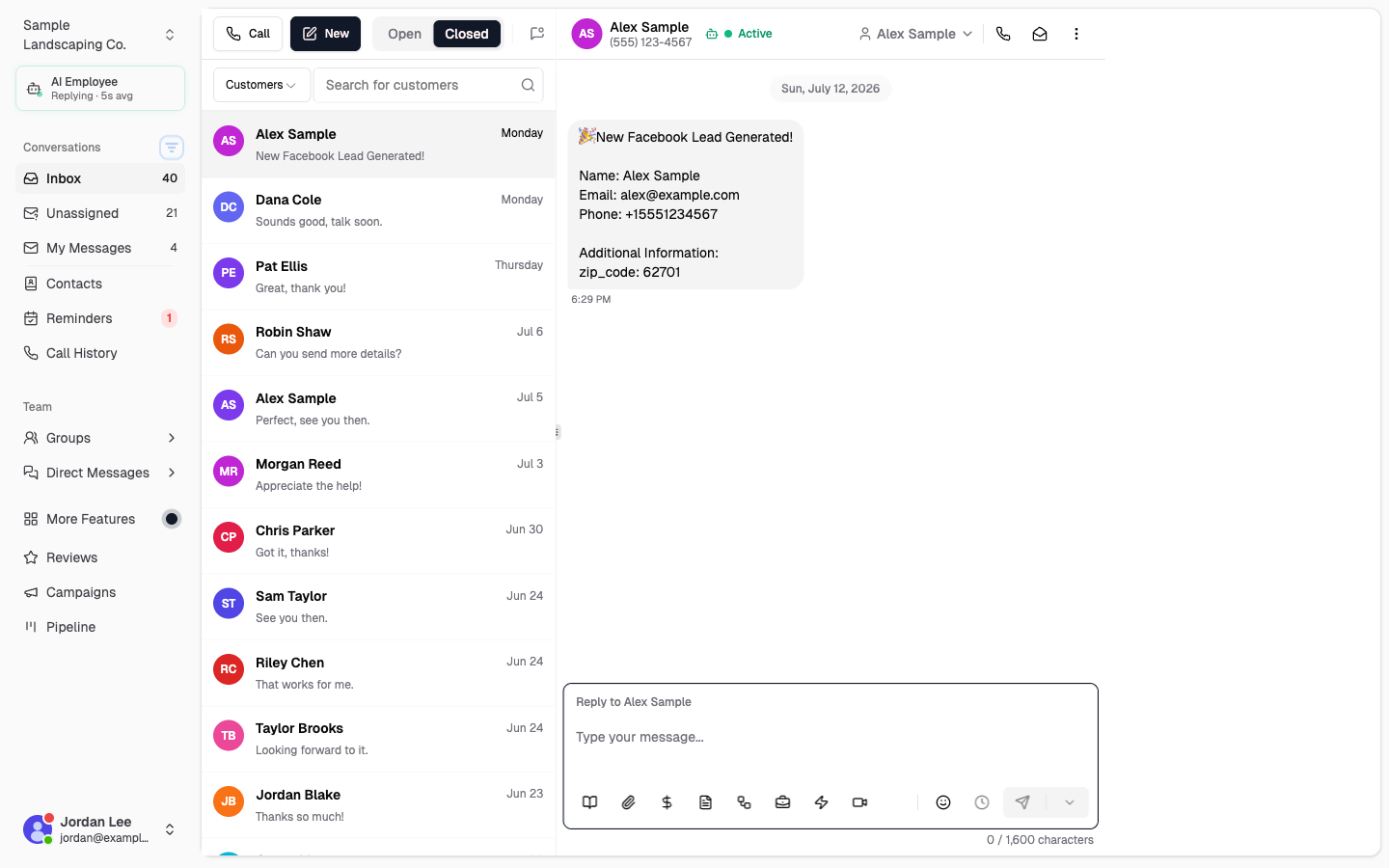
When someone submits a Facebook or Instagram lead form, Chekkit drops the lead into your Inbox with a fixed opening line. You can use Smart Replies to watch for that text and send an automatic follow-up.
Chekkit formats every Meta lead with a constant first line:
- New Facebook Lead Generated!
- New Instagram Lead Generated! (for Instagram lead forms)
After that line, Chekkit adds the form fields (name, email, phone, and any extra questions). Smart Replies can match the constant line and send your reply right away. If the lead includes a phone number, Chekkit typically texts them over SMS.
Need the Meta connection first? See Facebook Lead Ads Integration.
Set up a Smart Reply for Facebook / Instagram leads
-
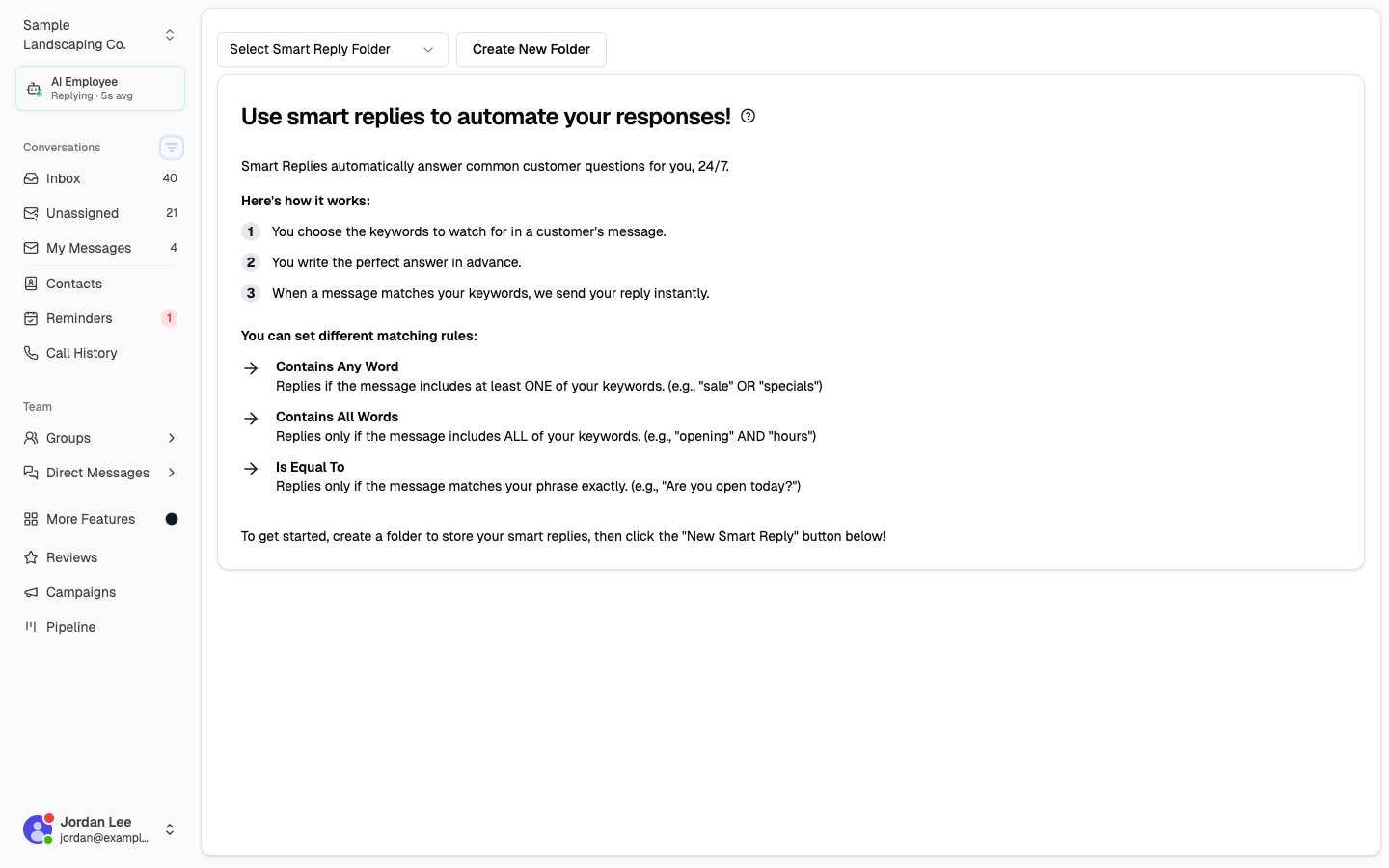
In Chekkit, go to Automations → Smart Replies.
-
Create a folder (for example, Facebook Leads) or open an existing one.
-
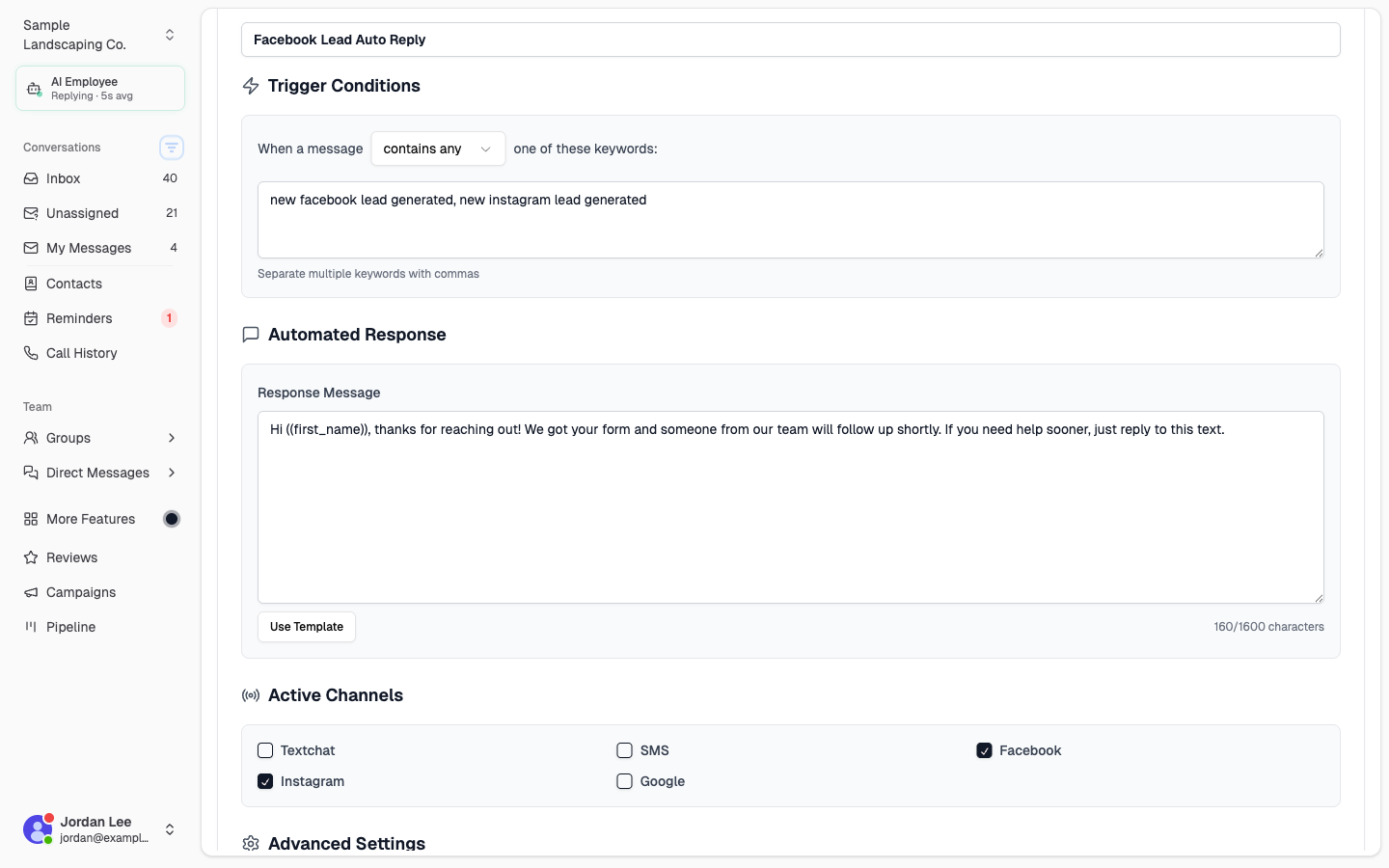
Click New … Smart Reply, then fill in:
- Title: Facebook Lead Auto Reply (or any name your team will recognize)
- Match type: Contains any
- Words / phrases:
new facebook lead generated, new instagram lead generated - Response: the message you want the lead to receive (you can use
((first_name))or((name))) - Channels: turn on Facebook and Instagram (leave other channels off if you only want this for lead forms)
-
Click Save.
That’s it. The next time a lead form lands in Chekkit with that opening line, Smart Replies can send your automatic reply.
For the full Smart Replies walkthrough (folders, options, screenshots), see How Do I use Smart Replies?.
Why these exact words?
Chekkit keeps the “New … Lead Generated!” line the same on every lead so you don’t have to guess form field names. Matching that phrase is more reliable than matching something like “name” or “email,” which can also appear in everyday customer messages.
Use Contains any (not Matches exactly). The full lead message always includes extra form details after the opening line, so an exact match would never fire.
Important: turn on Facebook / Instagram channels
Even when Chekkit texts the lead by SMS, the inbound lead is tagged as a Facebook or Instagram message. Your Smart Reply must have those channels enabled, or it won’t run on lead-form conversations.
Optional settings
- Stop when a team member replies — avoid stacking an automated reply on top of a live handoff.
- Don’t send if sent within the last hour — useful if the same person submits more than once quickly.
Example reply
Hi ((first_name)), thanks for reaching out! We got your form and someone from our team will follow up shortly. If you need help sooner, just reply to this text.
More sample triggers (hours, booking, shipping, and so on) are in Common Smart Replies.
Smart Replies vs Automatic Replies: Smart Replies fire when a message contains specific words. The general Automatic Replies feature is a broader first-response greeting for inbound chats — use Smart Replies when you only want to reply to Meta lead forms.
* * *
Questions? Email support@chekkit.io.